


Music & ambience
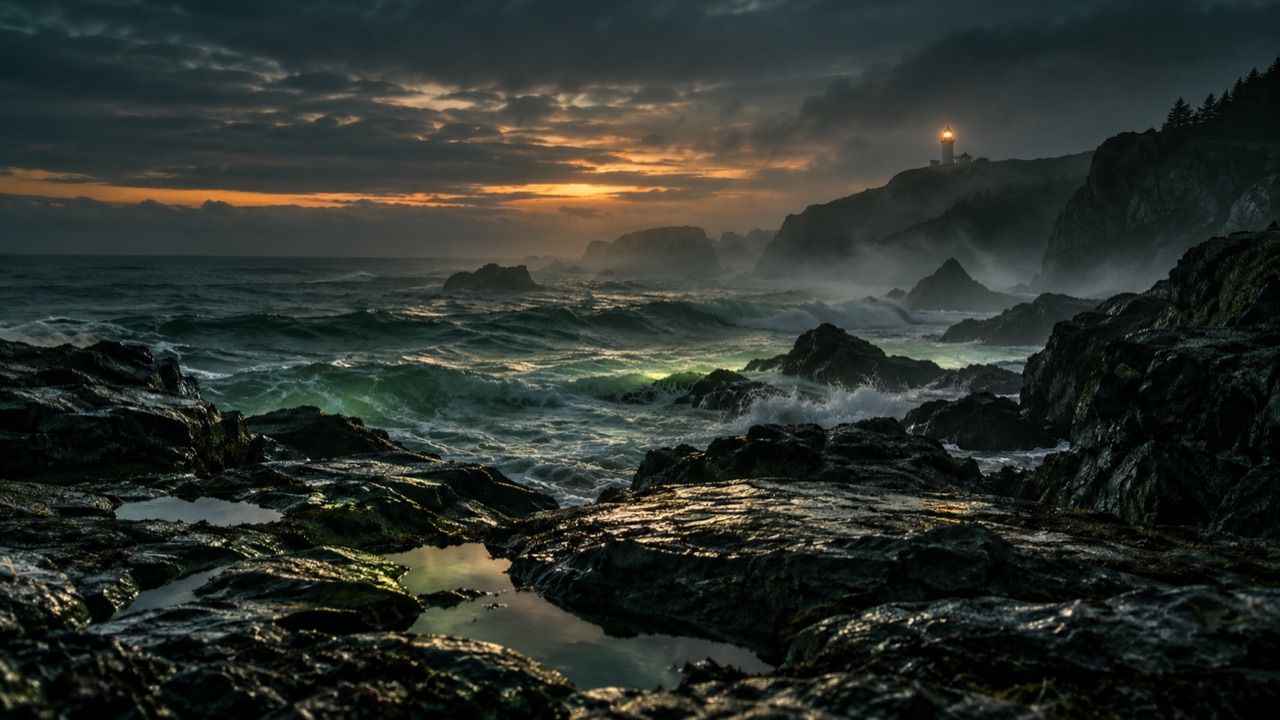
Coastal radio
A calm rotation of original soundscapes and music visuals.
Original mixes → evening rotationTurn your video library into a live program on YouTube and other RTMP platforms. Import from Google Drive or your device, arrange your videos and choose your schedule.
You can create an account now. Streaming and checkout become available when operational setup is ready.



Choose a piece of the flow. See what it gives you.
Coastal radioImported sampleThe piano hourImported sampleTime to focusImported sampleChoose your media, save a program, and set the next broadcast. Plan limits and platform eligibility apply.
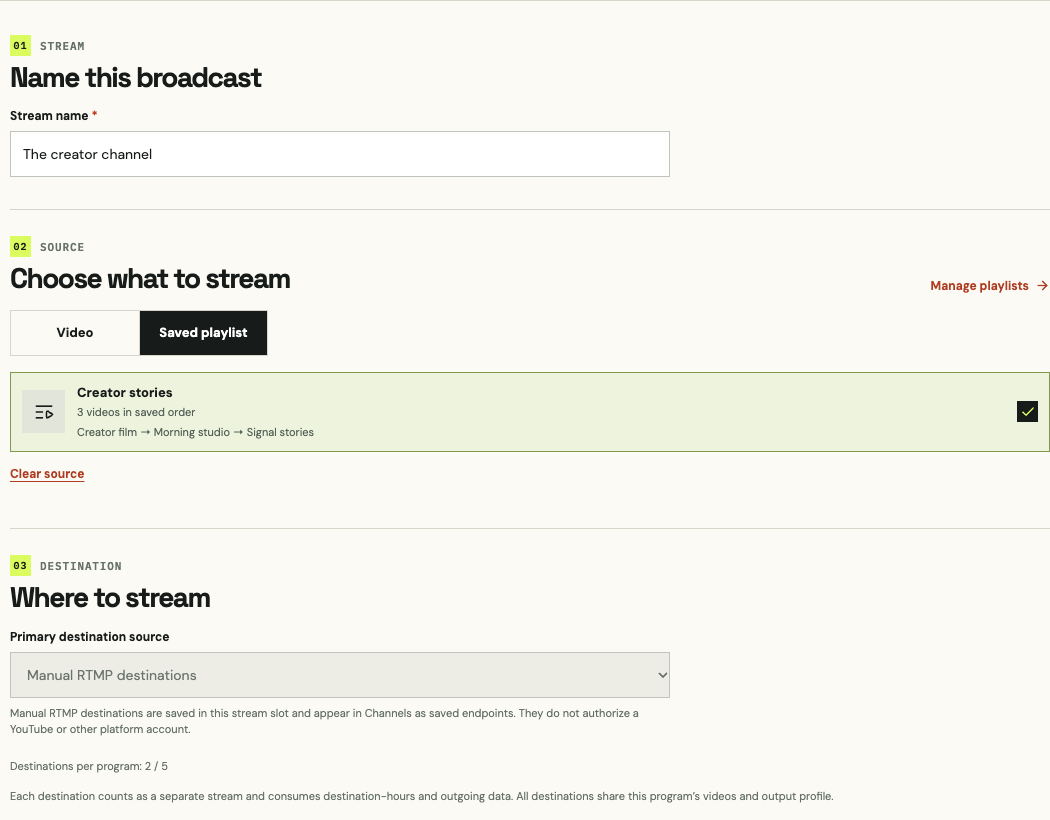
See the current Studio with a sample project: choose a playlist, set destinations and plan a schedule.
A smaller start. A real live program.
Also — INR / month
Current plan details are unavailable.
No automatic overage charges. Streaming pauses at an allowance limit.
Give one program its regular slot.
Also — INR / month
Current plan details are unavailable.
No automatic overage charges. Streaming pauses at an allowance limit.
Build a lineup from your library.
Also — INR / month
Current plan details are unavailable.
No automatic overage charges. Streaming pauses at an allowance limit.
Make room for a bigger broadcast vision.
Also — INR / month
Current plan details are unavailable.
No automatic overage charges. Streaming pauses at an allowance limit.
Skip the download and re-upload on your computer. Paste a Google Drive video link, choose your YouTube channel, and let Studio handle the transfer in the background.
Use a file your connected Google Drive account can access.
Select one of your connected YouTube channels.
Add a title, description and visibility. Follow progress in Studio.
Awaiting Google verification. Manual RTMP livestreaming is available now.
Your YouTube channelYour channel. Your title. Your visibility.
Upload as a YouTube videoAlready in Media Library? You can select that video too.
Your original Google Drive file stays unchanged.
Also — INR / month
A smaller start. A real live program.
Current plan details are unavailable.
No automatic overage charges. Streaming pauses at an allowance limit.
Loading current plan prices…
Monthly prices. Paid allowances reset on your billing date.
| Included | Lite—USD / month | Starter—USD / month | Creator—USD / month | Studio—USD / month |
|---|---|---|---|---|
| Streams | — | — | — | — |
| Media storage | — | — | — | — |
| Saved live destinations | — | — | — | — |
| Destinations per program | — | — | — | — |
| Outgoing data / month | — | — | — | — |
| HD preparation credits / month | — | — | — | — |
| Encoding runtime / month | — | — | — | — |
| Video conversion | — | — | — | — |
| Maximum output | — | — | — | — |
| Saved playlist playback | — | — | — | — |
| Daily streaming limit | — | — | — | — |
| Loops & schedules | Yes | Yes | Yes | Yes |
| Drive & device imports | Yes | Yes | Yes | Yes |
| Source preview & usage | Yes | Yes | Yes | Yes |
| RTMP / RTMPS output | Yes | Yes | Yes | Yes |
| Media retention | 7 days after paid access ends | 7 days after paid access ends | 7 days after paid access ends | 7 days after paid access ends |
| Recovery archive after expiry | No | No | No | No |
Monthly prices. Paid allowances reset on your billing date.
Streams means broadcasts running at the same time. Sending one program to YouTube and Facebook counts as two streams. Stream counts shown are for HD at 30 fps; your selected quality and plan limits determine available capacity.
Saved destinations are channels or RTMP destinations stored for reuse. Destinations per program is how many you can add to one program. Your total stream limit still applies when broadcasting.
Lite includes 1 hour and Starter includes 3 hours of HD preparation each month. Creator and Studio include larger allowances. Extra one-hour packs are available in Studio for $3 USD or ₹300 INR using your plan’s payment provider. Preparation usage depends on video resolution and frame rate. Reusing a ready video uses no preparation credits. Streaming and media downloads count towards your outgoing data allowance.
No automatic overage charges. Streaming pauses at an allowance limit.
Lite is the monthly entry plan for one RTMP destination you choose at 720p, up to four hours per UTC day. See each plan card for current prices and preparation allowances. Your uploaded files remain available for seven days after paid access ends. Your account is preserved.
Monthly prices. Paid allowances reset on your billing date.
Loading current plan prices…
| Included | Lite—USD / month | Starter—USD / month | Creator—USD / month | Studio—USD / month |
|---|---|---|---|---|
| Streams | — | — | — | — |
| Media storage | — | — | — | — |
| Saved live destinations | — | — | — | — |
| Destinations per program | — | — | — | — |
| Outgoing data / month | — | — | — | — |
| HD preparation credits / month | — | — | — | — |
| Encoding runtime / month | — | — | — | — |
| Video conversion | — | — | — | — |
| Maximum output | — | — | — | — |
| Saved playlist playback | — | — | — | — |
| Daily streaming limit | — | — | — | — |
| Loops & schedules | Yes | Yes | Yes | Yes |
| Drive & device imports | Yes | Yes | Yes | Yes |
| Source preview & usage | Yes | Yes | Yes | Yes |
| RTMP / RTMPS output | Yes | Yes | Yes | Yes |
| Media retention | 7 days after paid access ends | 7 days after paid access ends | 7 days after paid access ends | 7 days after paid access ends |
| Recovery archive after expiry | No | No | No | No |
Monthly prices. Paid allowances reset on your billing date.
Streams means broadcasts running at the same time. Sending one program to YouTube and Facebook counts as two streams. Stream counts shown are for HD at 30 fps; your selected quality and plan limits determine available capacity.
Saved destinations are channels or RTMP destinations stored for reuse. Destinations per program is how many you can add to one program. Your total stream limit still applies when broadcasting.
Lite includes 1 hour and Starter includes 3 hours of HD preparation each month. Creator and Studio include larger allowances. Extra one-hour packs are available in Studio for $3 USD or ₹300 INR using your plan’s payment provider. Preparation usage depends on video resolution and frame rate. Reusing a ready video uses no preparation credits. Streaming and media downloads count towards your outgoing data allowance.
No automatic overage charges. Streaming pauses at an allowance limit.
Lite is the monthly entry plan for one RTMP destination you choose at 720p, up to four hours per UTC day. See each plan card for current prices and preparation allowances. Your uploaded files remain available for seven days after paid access ends. Your account is preserved.
Connect with your platform’s RTMP or RTMPS server URL and stream key. Your account must have live streaming access.
YouTube Facebook
 Instagram
 X
X Twitch
 Kick
Kick TikTok
 Rumble
 Mixcloud
Other platforms depend on your plan and platform eligibility. Each destination counts as a separate stream.
Illustrative programs, not customer results. Broadcast only content you own or are licensed to use.
A calm rotation of original soundscapes and music visuals.
Original mixes → evening rotationOrganize your recorded lessons into a topic-led study program.
Lesson library → scheduled study sessionGive licensed interviews and past episodes another live window.
Episode archive → themed playlistSchedule recorded daily prayers, sermons and services for people who cannot attend in person.
Prayer library → morning and evening broadcastsYouTube uploads are coming soon, pending Google verification. The planned feature lets Starter, Creator and Studio users choose a Drive link or Media Library video and upload it to a connected channel. Manual RTMP livestreaming is available now.
Yes. Connect Google Drive to import videos for livestreaming within your plan allowance. The connected account must have access to the file. Direct Drive-to-YouTube video uploads are coming soon, pending Google verification.
You can livestream without connecting an account: paste the RTMP server URL and stream key from YouTube Studio into a manual destination. Direct YouTube account connection and video uploads are coming soon, pending Google verification.
Yes. After signup, build a custom monthly plan in Studio with the destinations, destination-hours, storage and outgoing data you need. Each destination counts as a separate stream. The $12 extra-slot offer has been discontinued.
Yes. 4K needs more encoding power, storage for prepared copies, and outbound bandwidth. Choose it only when your source and destination support it.
Tell us what you want to put on air. Ask about the product, or share the setup your broadcast needs.
Your next program starts with a conversation.
Turn on JavaScript for current prices, interactive previews and contact forms. You can read the page above or open Studio.